No more bouncing between disconnected apps to complete one experiment.
PyBCI brain-computer interface development toolkit
PyBCI
BCI Development Reimagined
One AI-powered editor for the full BCI workflow, from streams and markers to preprocessing, training, and review.
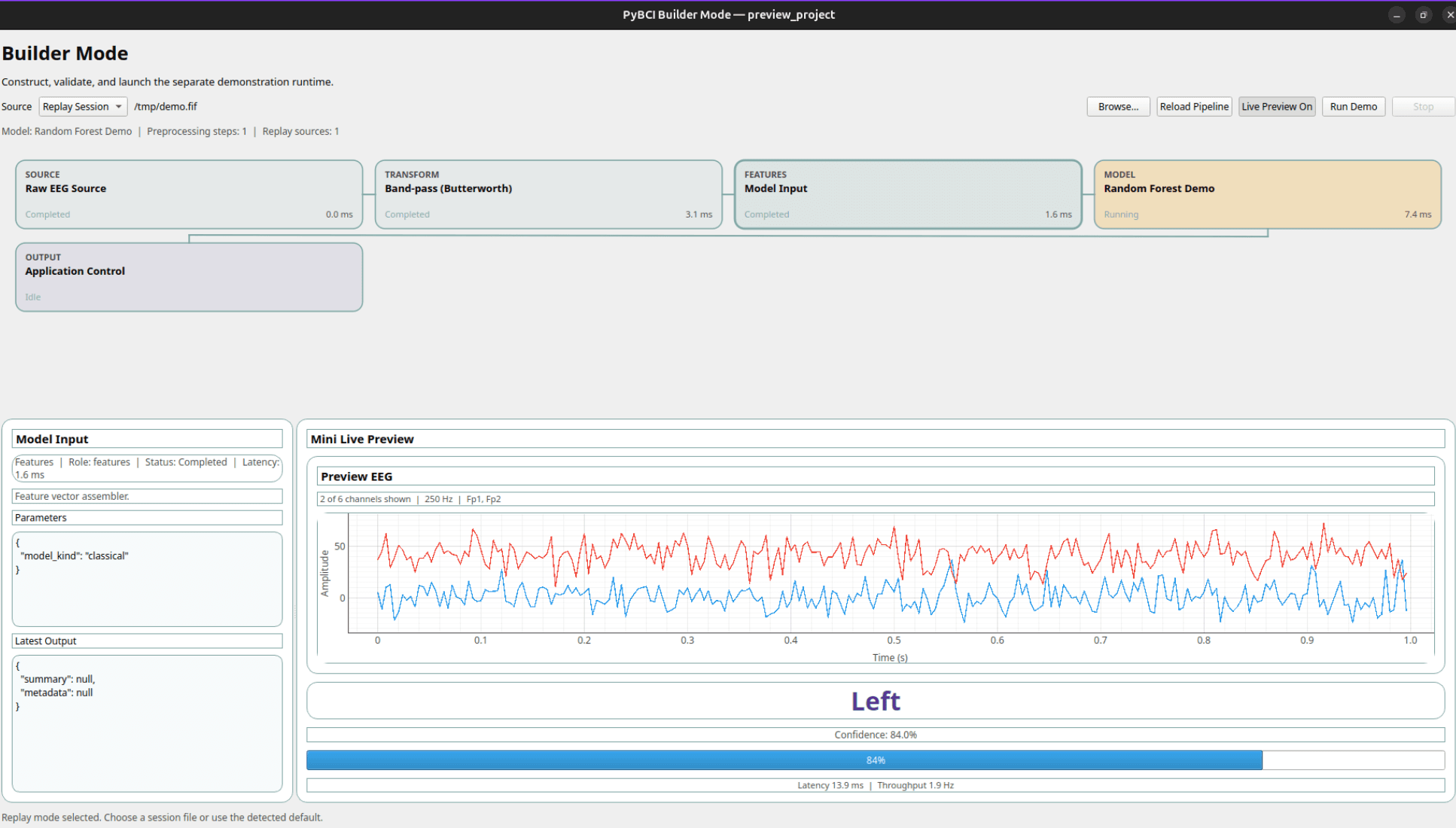
Why PyBCI
BCI tooling is fragmented.
Developers juggle LSL, BRAIFLOW, PsychoPy, OpenBCI, event markers, and preprocessing scripts just to get one experiment running.
PyBCI brings the full pipeline into one editor so you can build, validate, and iterate faster with AI assistance.
Keep the pipeline visible so iteration stays fast.
Get guidance as you configure experiments and move toward deployment.
pyBCI in Action
01 / Data
Import data and map channels.
Upload EEG files, concatenate sessions, assign electrodes, and inspect the signal before analysis.
01 / Data
Import data and map channels.
Upload EEG files, concatenate sessions, assign electrodes, and inspect the signal before analysis.
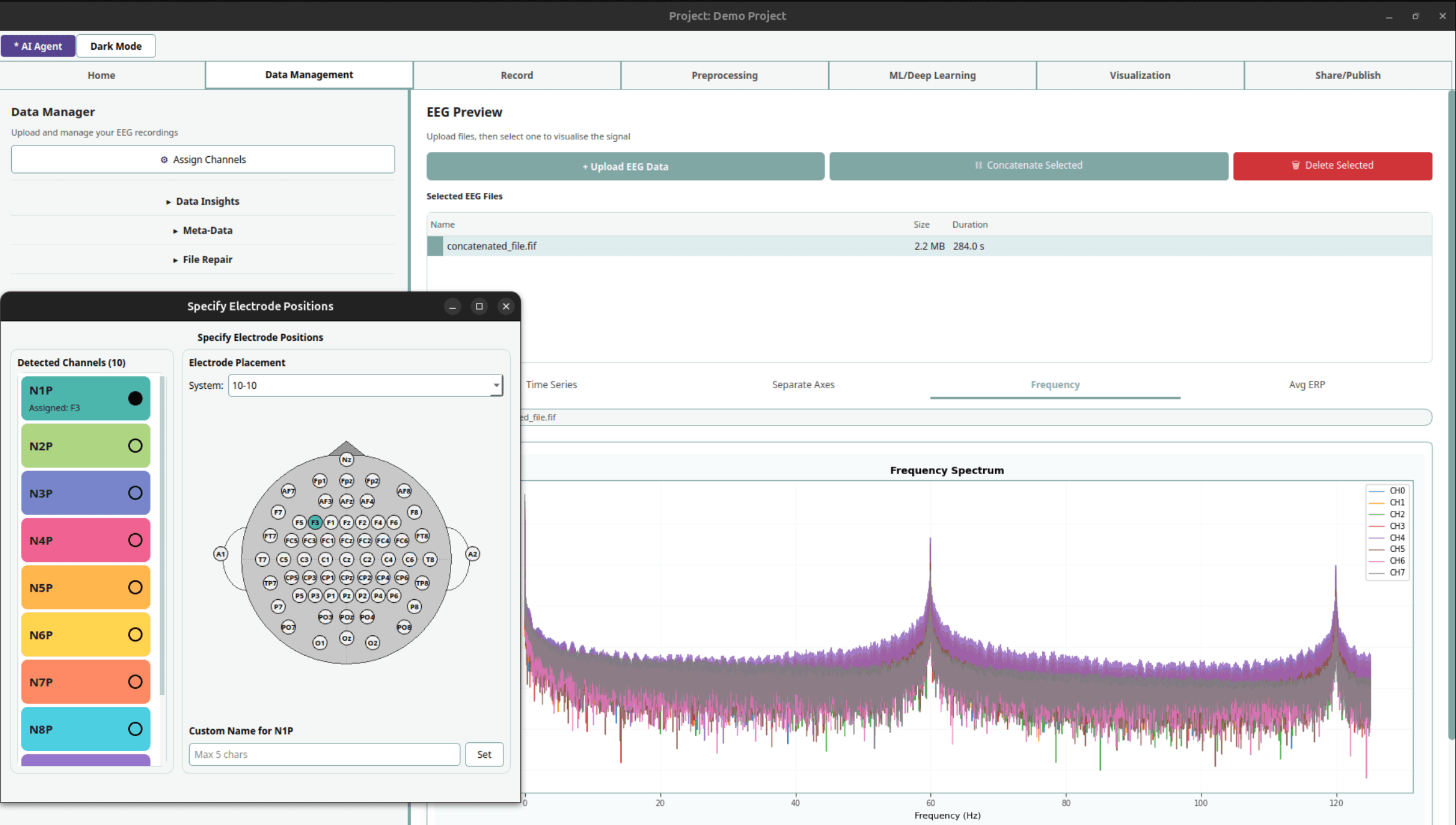
- Selected EEG files
- Electrode assignment
- Frequency spectrum
02 / Record
Record with live board context.
Monitor connection status, sample rate, channel controls, scaling, and session actions beside the live trace.
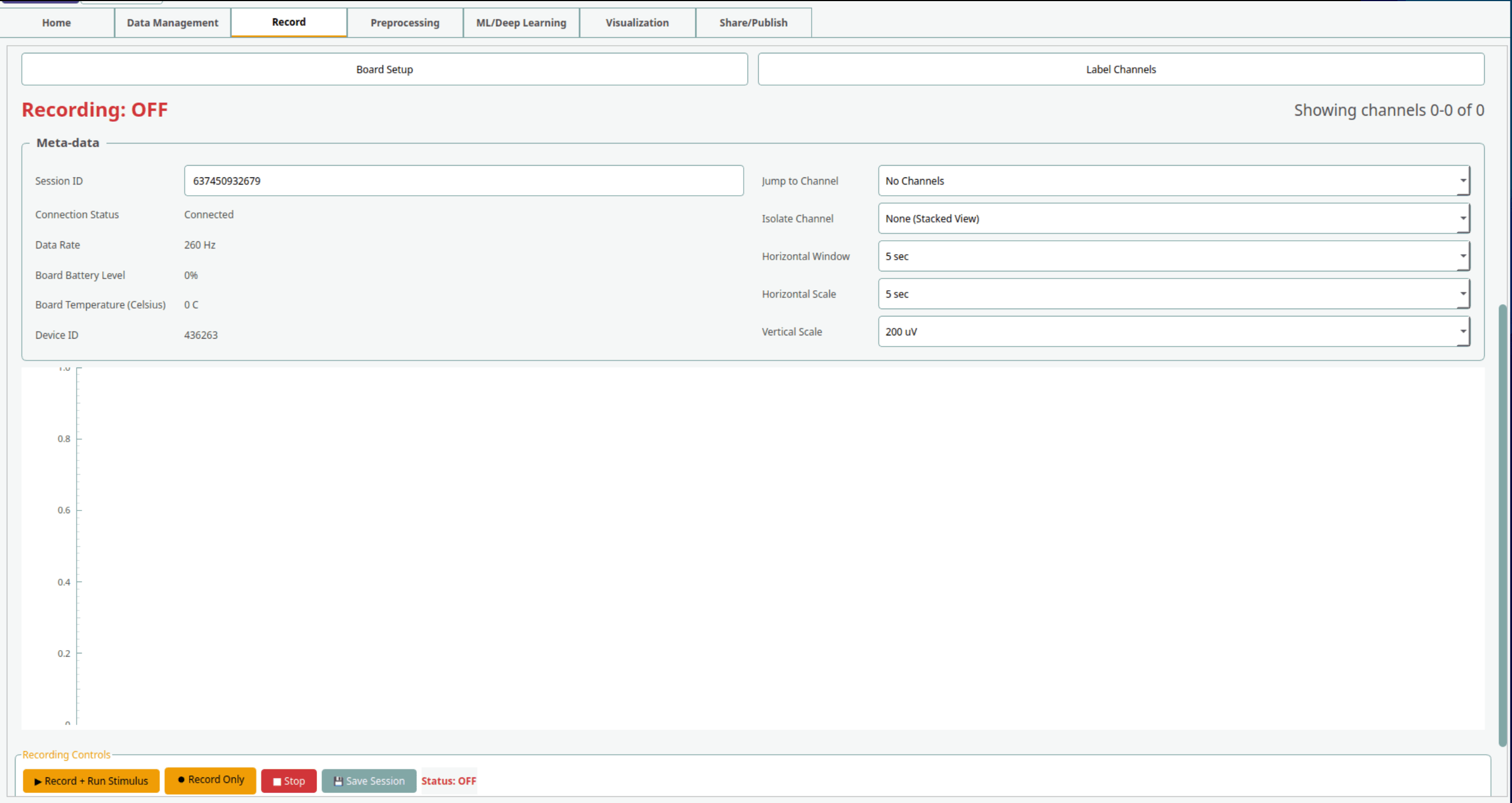
- Recording status
- Board metadata
- Scale controls
03 / Preprocess
Build and validate preprocessing.
Queue filters, artifact steps, epoching, and scripts, then compare raw and processed EEG.
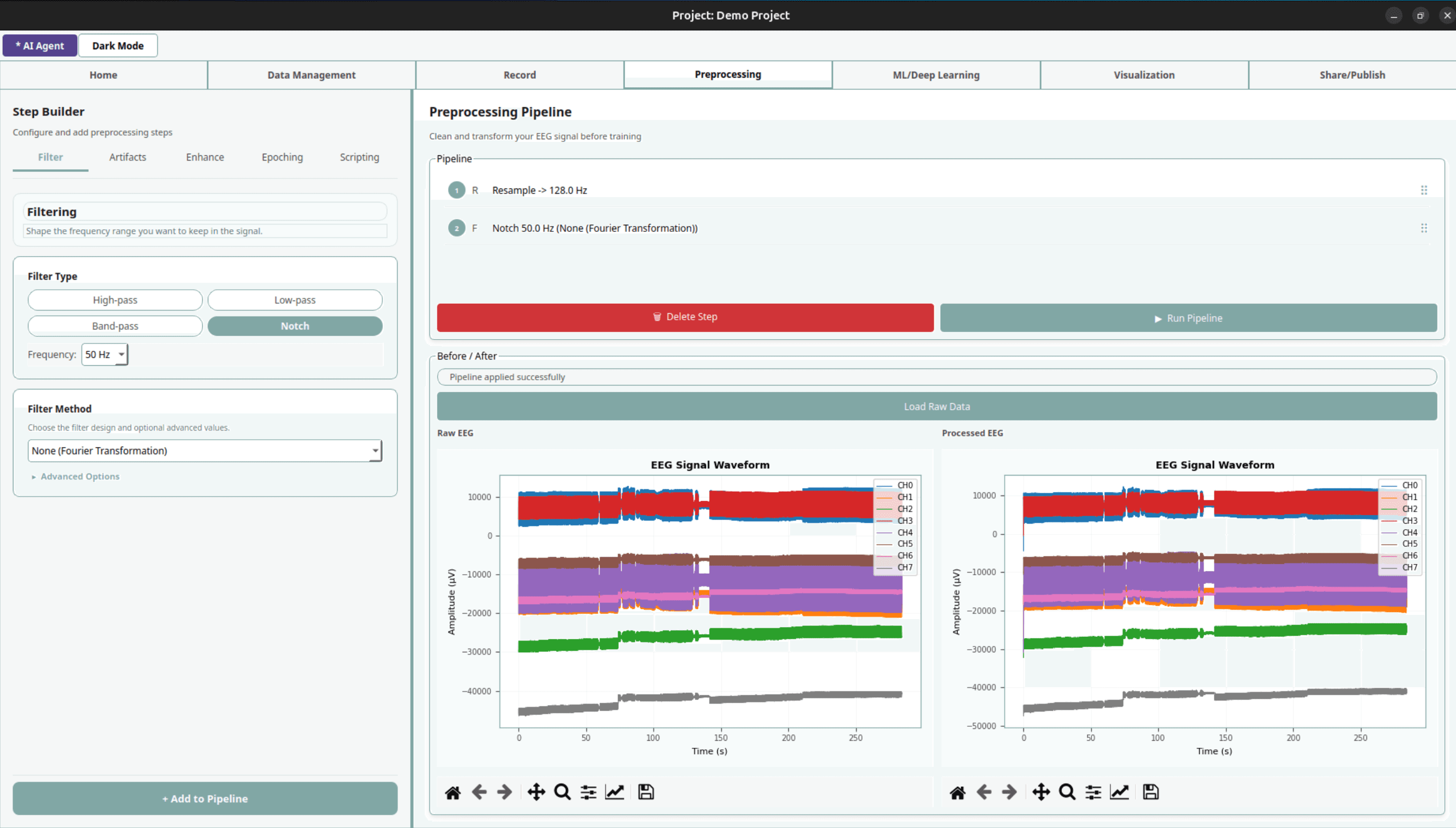
- Filter builder
- Pipeline queue
- Before/after EEG
04 / Train
Train classical and neural models.
Configure algorithms, queue model candidates, and review evaluation outputs in one workflow.
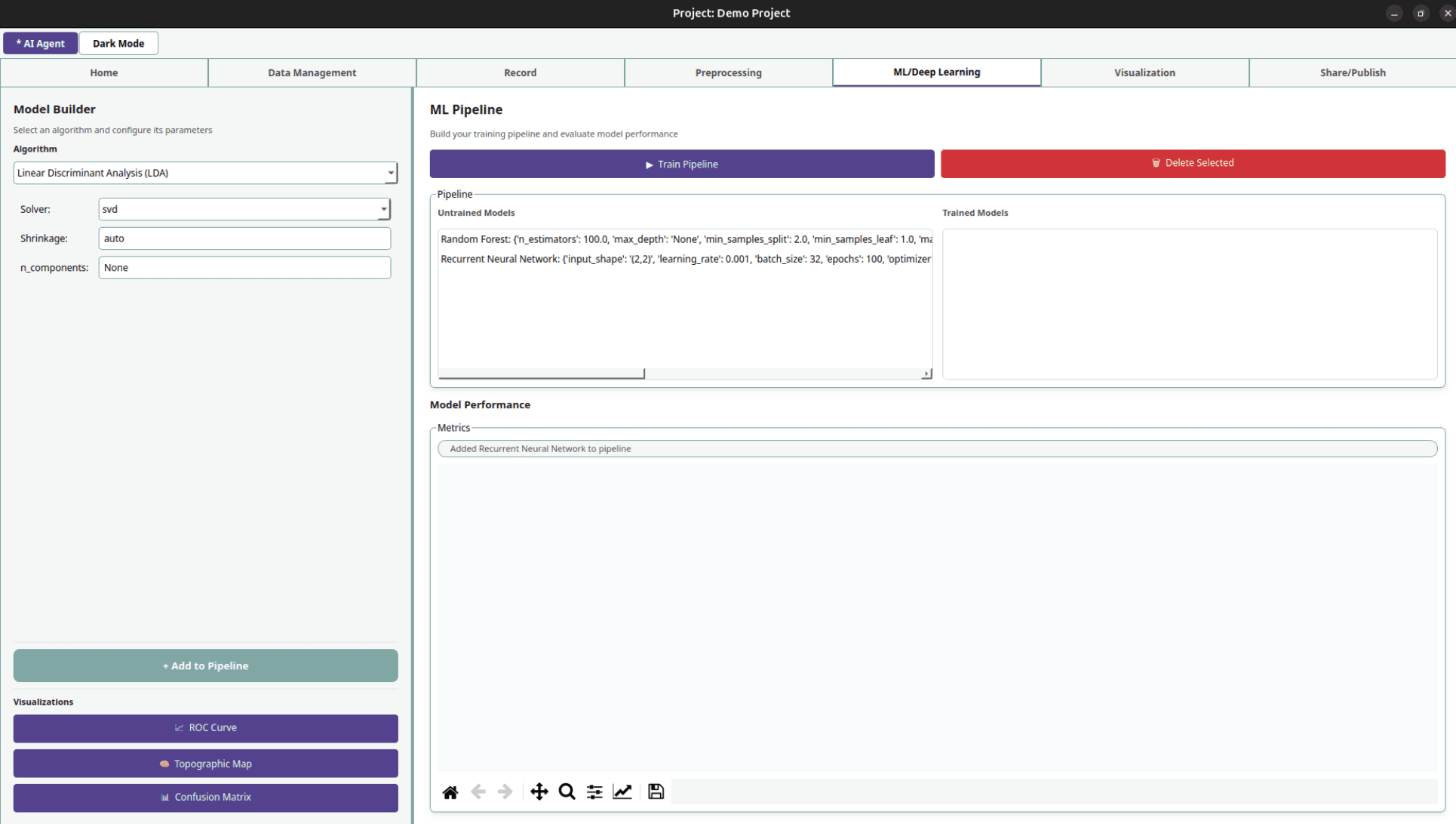
- Algorithm settings
- Model queue
- Evaluation actions
05 / Tune
Tune deep learning visually.
Set input shape, optimizer, batch size, epochs, gradient clipping, and layer architecture.
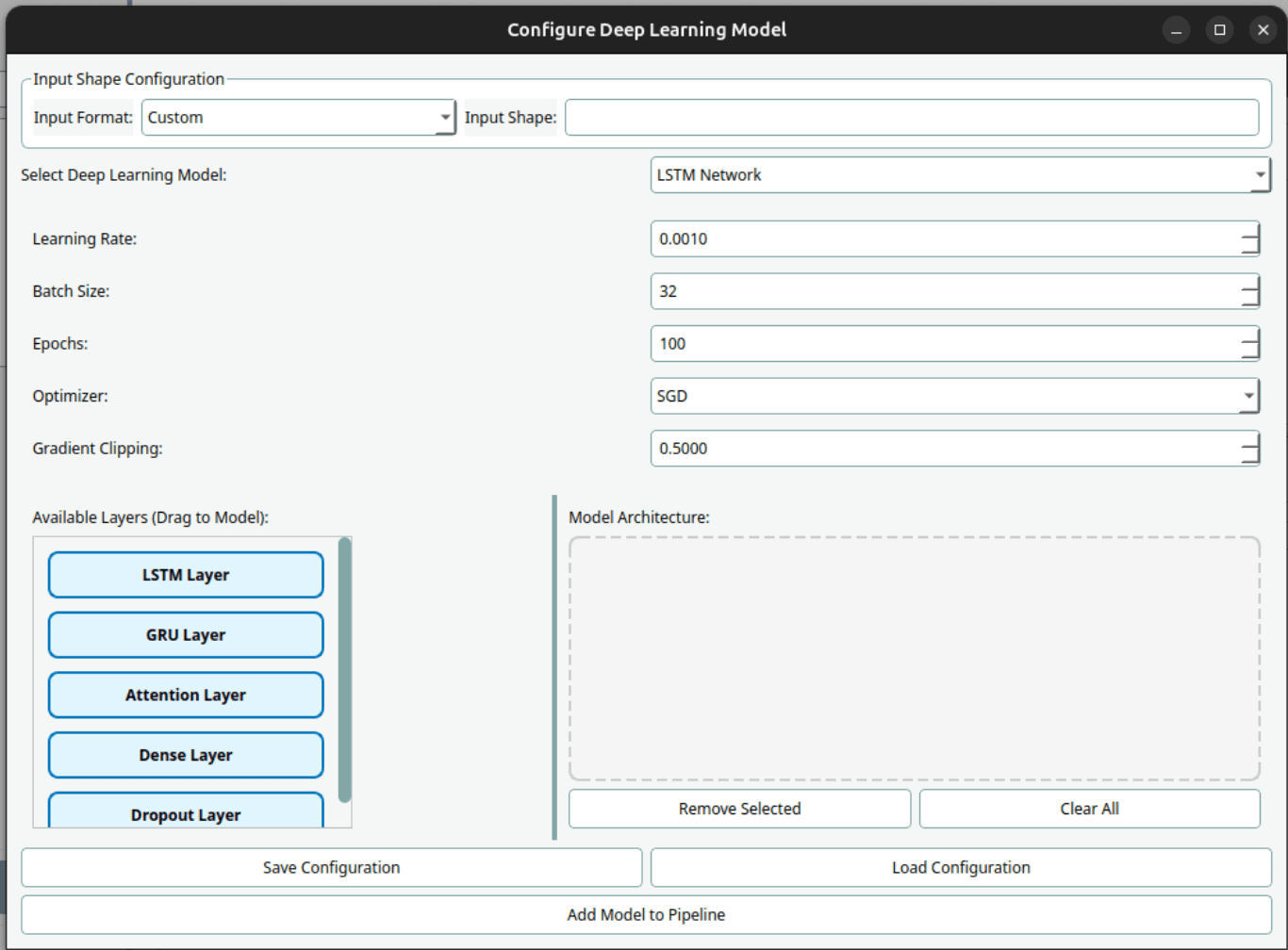
- Layer palette
- Training controls
- Architecture canvas
06 / Visualize
Review brain playback and activation.
Use 3D playback and regional activation charts to review model behavior over time.
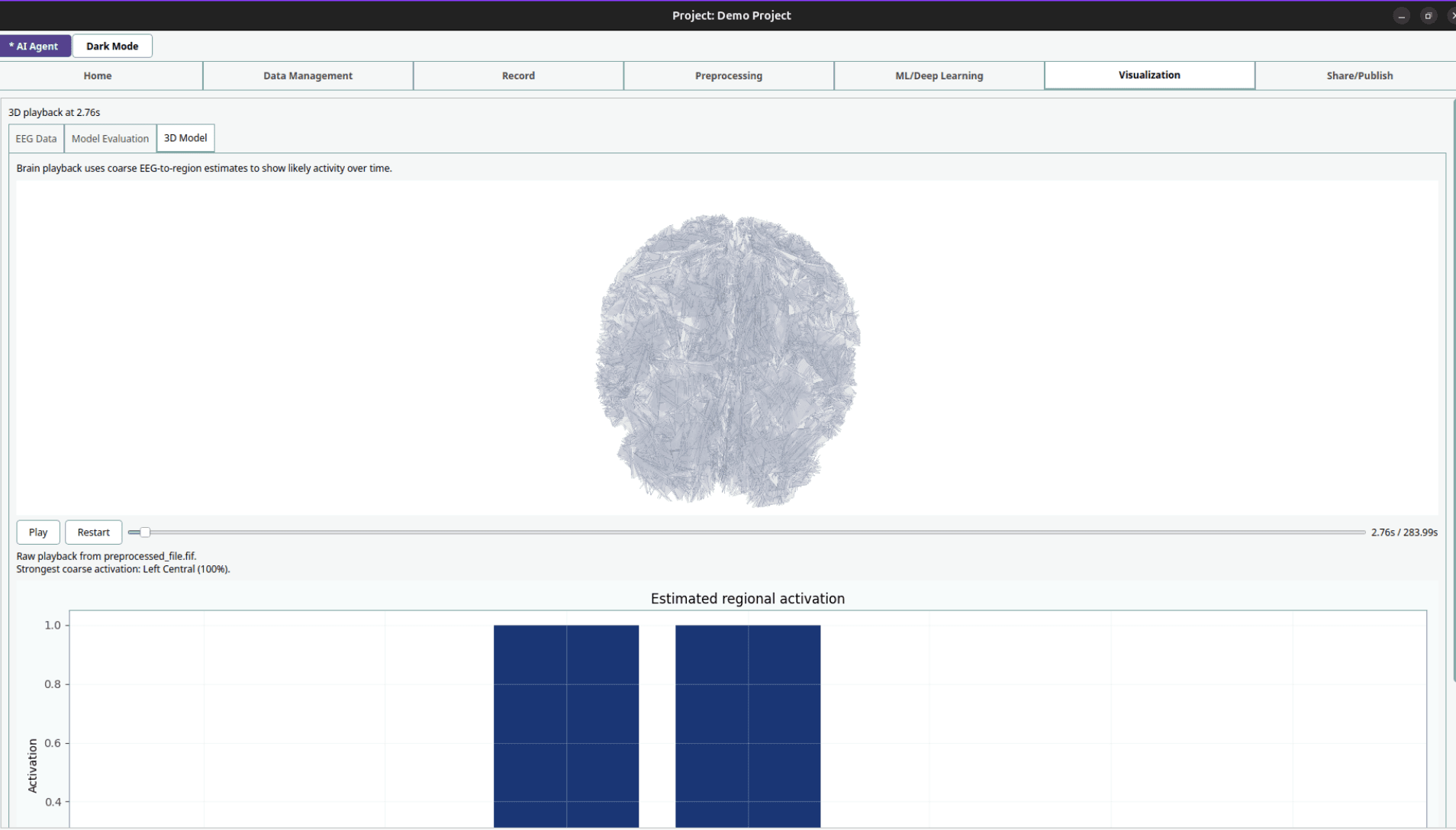
- 3D model tab
- Playback controls
- Activation chart
Access